Back to case studies

Case Study

Client Operations System

A single Notion workspace running the full client lifecycle

The challenge

Running client projects across disconnected tools creates blind spots. Tasks live in one place, invoices in another, client communication in a third. The goal was to build a system that could manage the full client lifecycle from a single workspace — and scale cleanly with every new engagement.

The system

The workspace is structured as a central hub with 10+ interconnected databases: projects, tasks, clients, proposals, offers, invoices, contracts, workspace audits, SOPs, and onboarding workflows.

Every database is linked through two-way relations. A project entry connects directly to its client record in the CRM, its associated offer, proposal, contract, and every invoice tied to it. Tasks are related back to their parent project, and rollup properties pull live data upward — total tasks, completed tasks, time logged, and project fees all aggregate automatically at the project level without any manual input.

Formulas layer on top of this to generate real-time insights. A progress percentage is calculated from the ratio of completed to total tasks. A summary formula reads the allocated hours, compares them against time logged, and produces a plain-language status: whether the project is on track or running over budget.
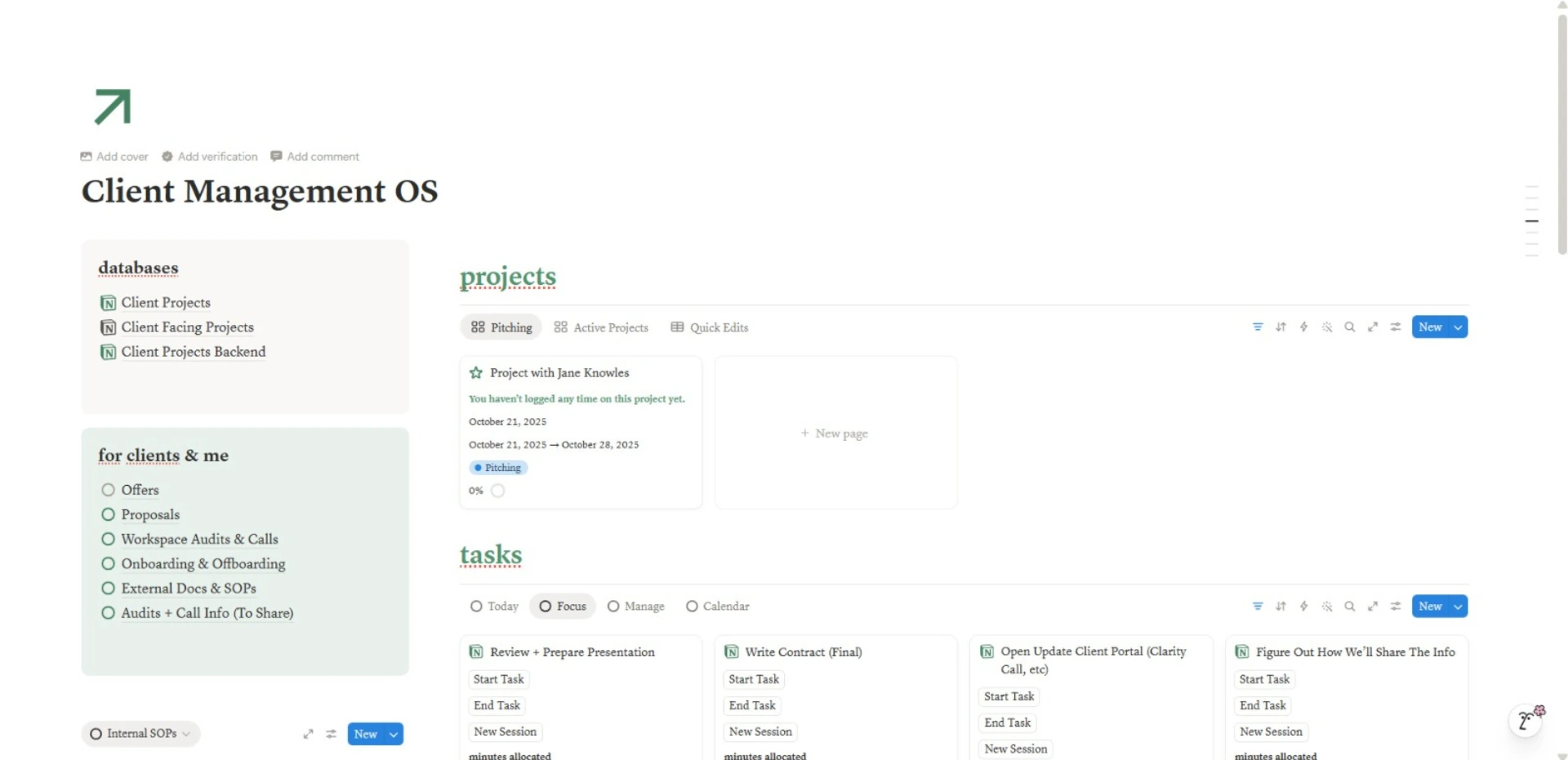
Client Management OS — central hub with linked databases
System hub

Two layers, one source of truth

The architecture runs on two parallel layers — an internal operations layer and a client-facing collaboration layer — both connected to the same underlying data.

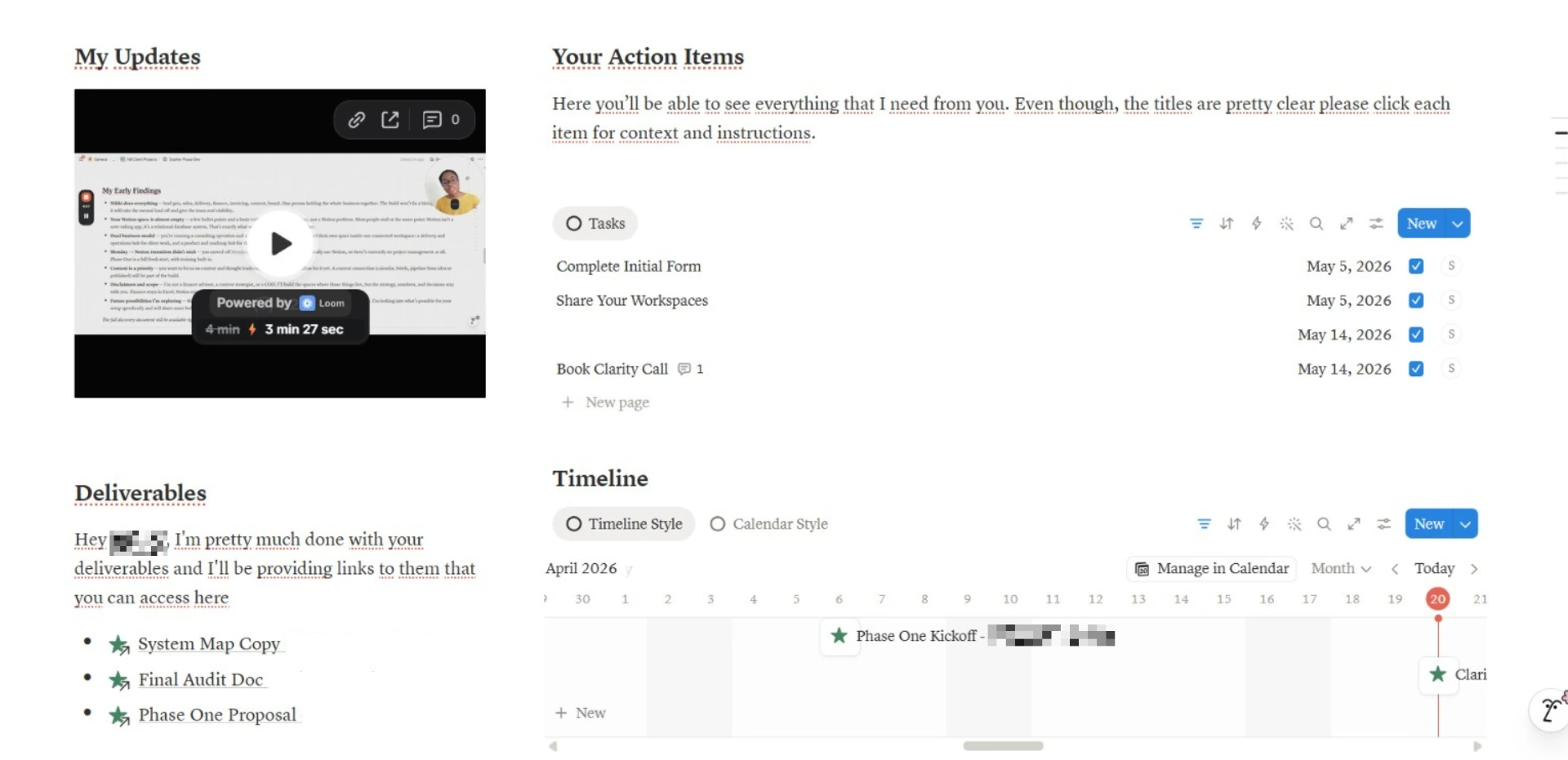
The internal layer is where projects are managed, hours are logged, and every operational detail is tracked. The client-facing layer gives each engagement its own dedicated portal: a clean space with video updates, linked deliverables, a task list of outstanding client actions, and a visual project timeline.

Because both layers pull from the same relational structure, updates flow in one direction. There's no duplicating information, no copy-pasting between views. When a deliverable is completed internally, the client portal reflects it.

Client-facing portal with updates, action items, deliverables and timeline
Client collaboration portal

Time tracking that runs itself

Each task in the system logs its own start time, end time, and duration. These values are stored at the task level and roll up to the project through relation-based rollups — so the project always shows an accurate, live total of hours spent.

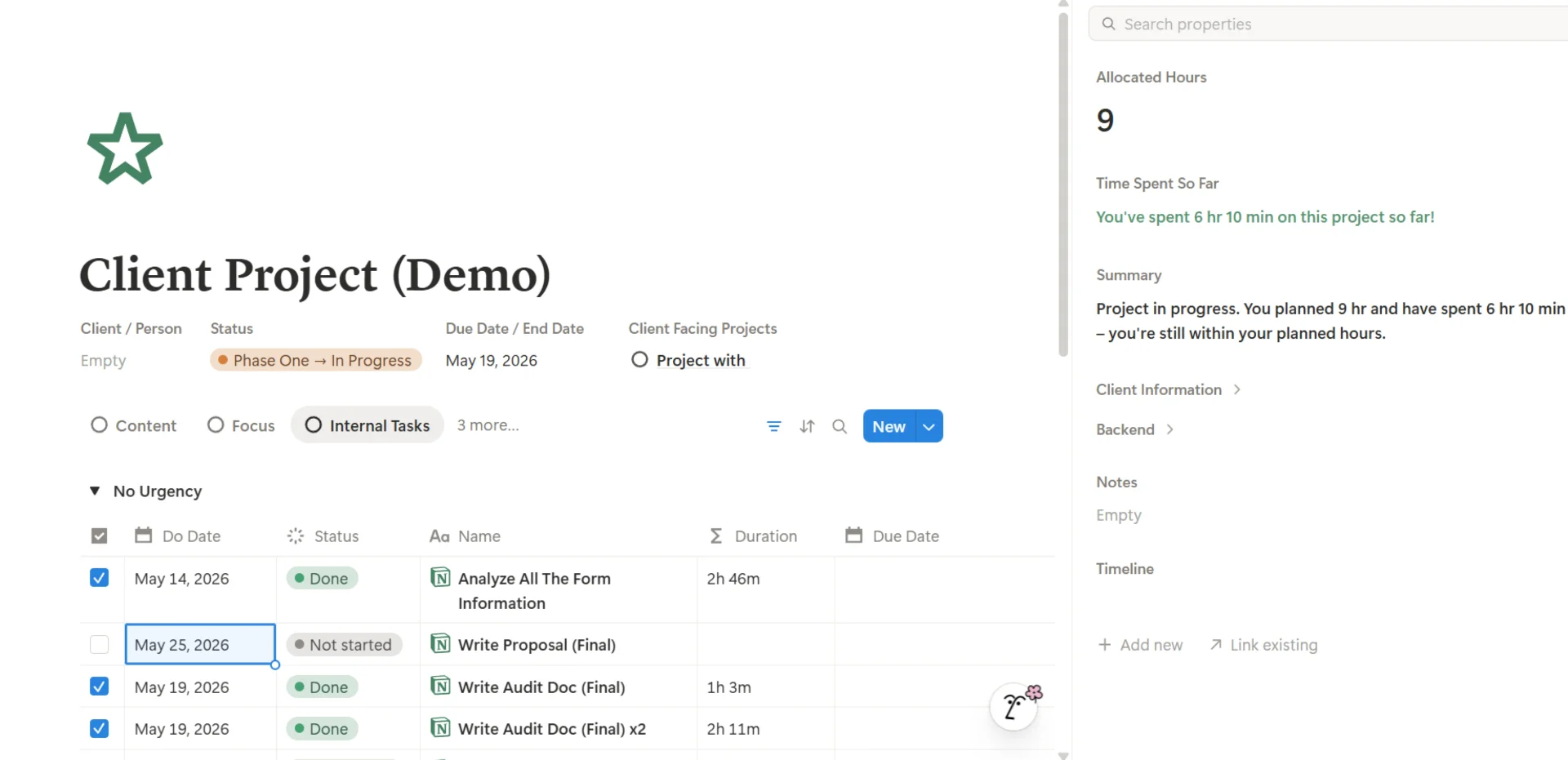
Every project also carries a set of allocated hours defined at kickoff. A formula compares allocated vs spent in real time and generates a status like: “You planned 9 hr and have spent 6 hr 10 min — you're still within your planned hours”.

That same data feeds into the client-facing project card, where another formula generates a full overview: start date, end date, days remaining, total fee, and outstanding balance — all computed live from connected databases.

Project detail view showing tasks, allocated hours, time spent and summary
Project detail with time tracking and properties

AI agent built into the workflow

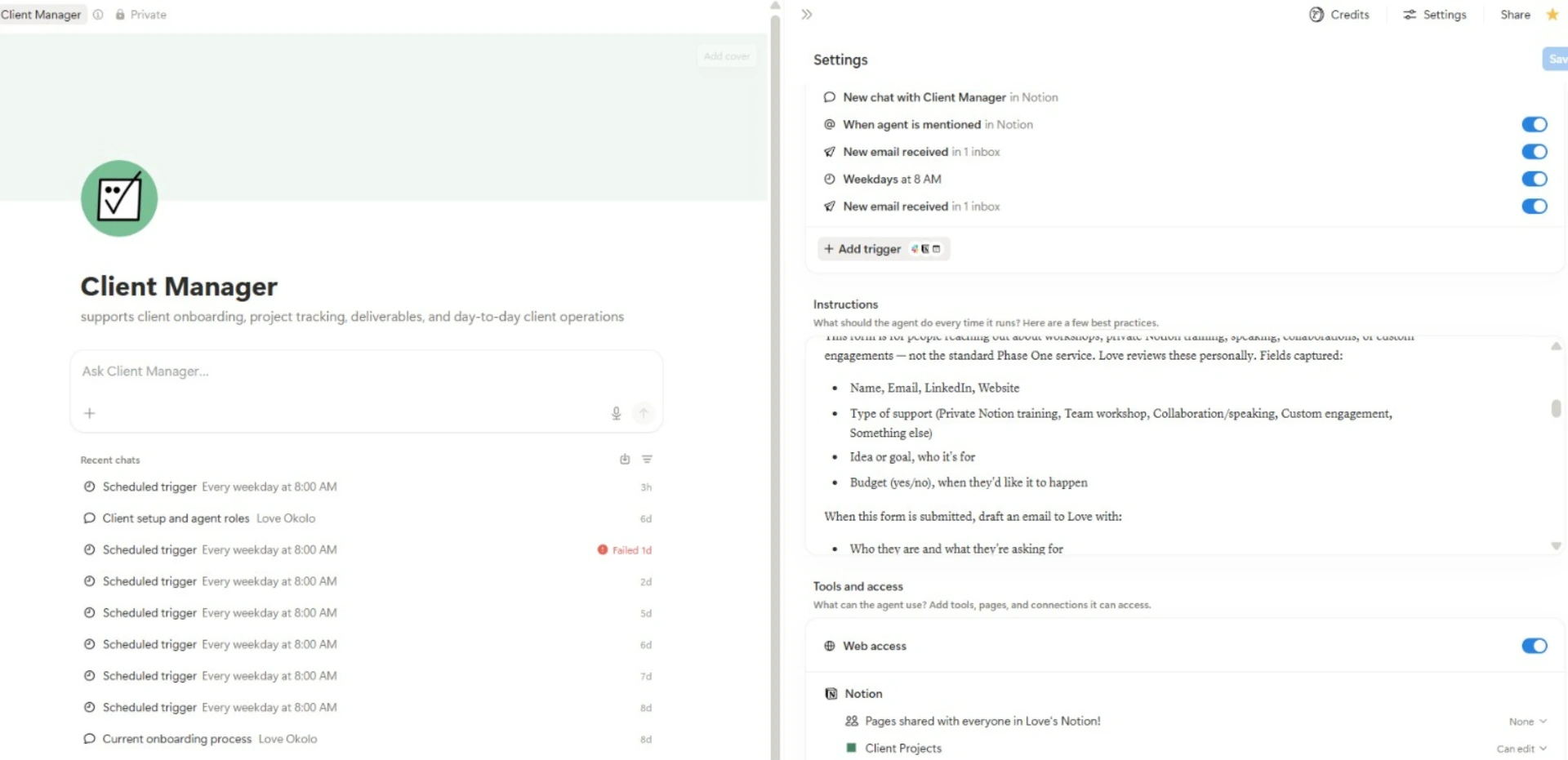
The system is accompanied by a custom Notion AI agent designed to support daily client operations. The agent handles onboarding workflows, processes client intake forms, drafts communications, and runs on automated triggers — including scheduled daily runs, email-based triggers, and mention-based responses. It operates with direct access to the project databases, so every action it takes is grounded in the actual project data, not generic prompts.

Client Manager AI agent configuration with triggers and instructions
AI agent configuration

The outcome

One workspace, one source of truth. Projects, clients, deadlines, and deliverables all run from the same relational structure, with live rollups doing the math and an AI agent handling the repeatable work.